If you want a consultant to review or update their own profile, they’ll need their own login. Here’s how to set that up in a couple of minutes.
Prefer to watch instead of read? Here’s the full walkthrough:
Set the consultant’s login email
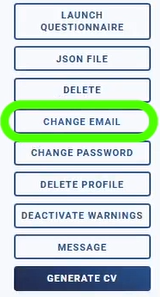
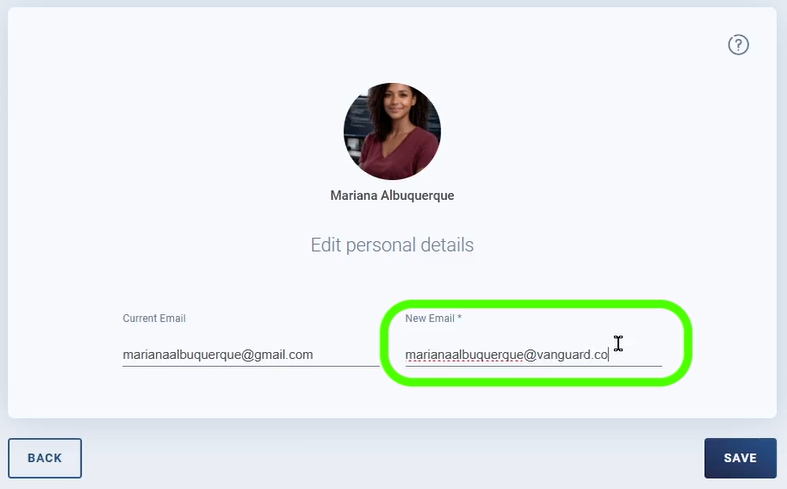
On the left of the consultant’s profile, Click “Change Email”. On the new window, enter their company email and click “Save.”
Set a password for the consultant
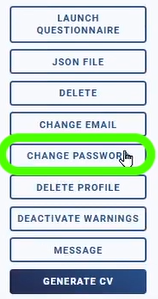
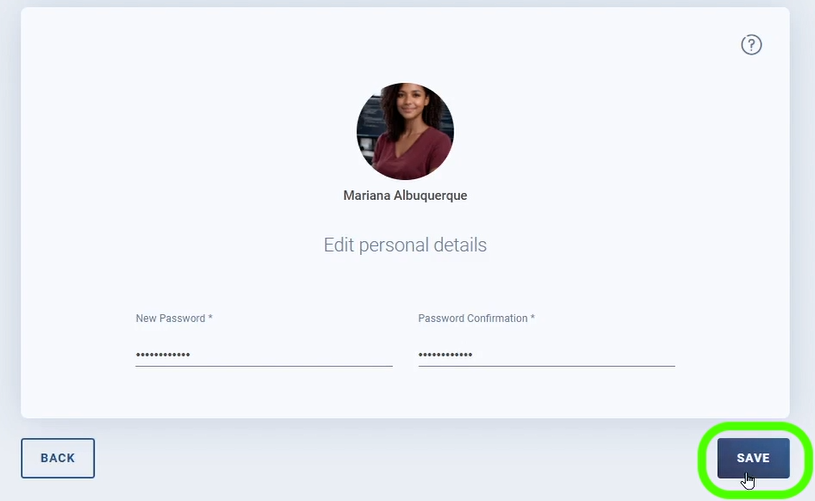
Back on their profile, press “Change Password.” On the next window, enter the new password and confirm it, then click “Save.”
Find your company’s login page
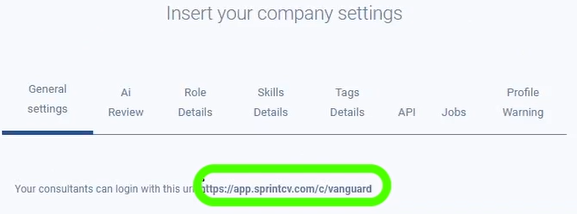
The consultant will log in through your company’s dedicated landing page, which you can find on the General tab of Company Settings.
Where do I find the login link to share?
On the General tab of Company Settings, under your company’s dedicated landing page.
Share the link and credentials
Send the consultant the link along with their email and password.
What the consultant sees when logging in
The consultant needs to enter the email and password and click “Login.” Next, accept the terms of service, data protection and privacy policy. Once accepted, they’re logged in with full access to their page, including their multiple profiles.
Give a consultant access checklist
- ✓Click “Change Email” on the consultant’s profile, enter their company email, and save
- ✓Click “Change Password,” enter and confirm the new password, and save
- ✓Find your company’s login page on the General tab of Company Settings
- ✓Send the consultant the link, email and password
- ✓The consultant logs in and accepts the terms, data protection and privacy policy
Frequently Asked Questions
How do I give a consultant access to their account?
Set their login email and password on their profile, then send them your company’s login link.
Where do I find the login link to share?
On the General tab of Company Settings, under your company’s dedicated landing page.
What does the consultant have to do to log in?
Enter their email and password, click “Login,” and accept the terms of service, data protection and privacy policy.
What can the consultant access once logged in?
Their full profile page, including any multiple profiles.
Still have questions about consultant access? Send an email to hello@sprintcv.com and our team will walk you through it.
Their profile, their own login.
See the full Sprint CV onboarding guide.